Add or Edit Instalments on a Quote
You can add instalments to a quote to outline down payments and flexible payment plans before the patient approves it. Each instalment has its own due date and can be adjusted to match the patient’s needs or your clinic’s policies. Instalments can be added when creating the quote or edited later, as long as the quote hasn’t been approved.
Useful link:
- Creating a Quote: Create a Quote
Step-by-step
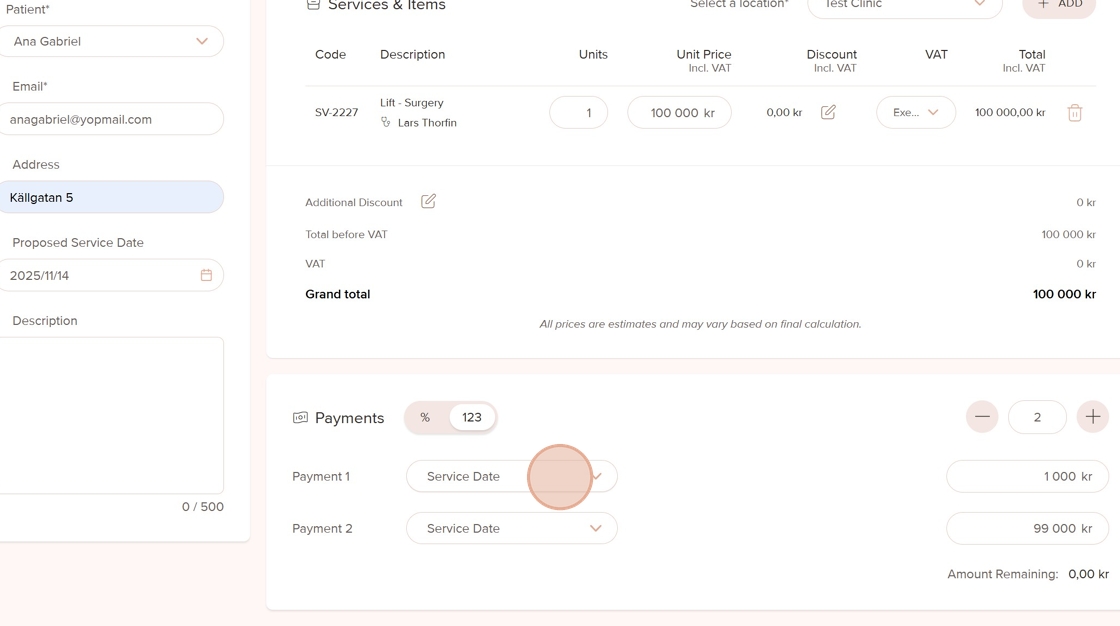
1. You can add a down payment or instalments while creating a new quote or by editing an existing one. To add them during quote creation, click the + button in the Payments section. Add as many instalments as you need by clicking the button again.

2. Adjust the amount for each instalment so the total matches the full quote amount.

3. For each instalment, set a separate due date to define when the payment should be made.
4. Once all instalments and details are set, click Create Quote to finalize and save it.

5. To add or edit instalments in an existing quote, click More Actions

6. From the dropdown menu, select Edit to make changes to the instalments.

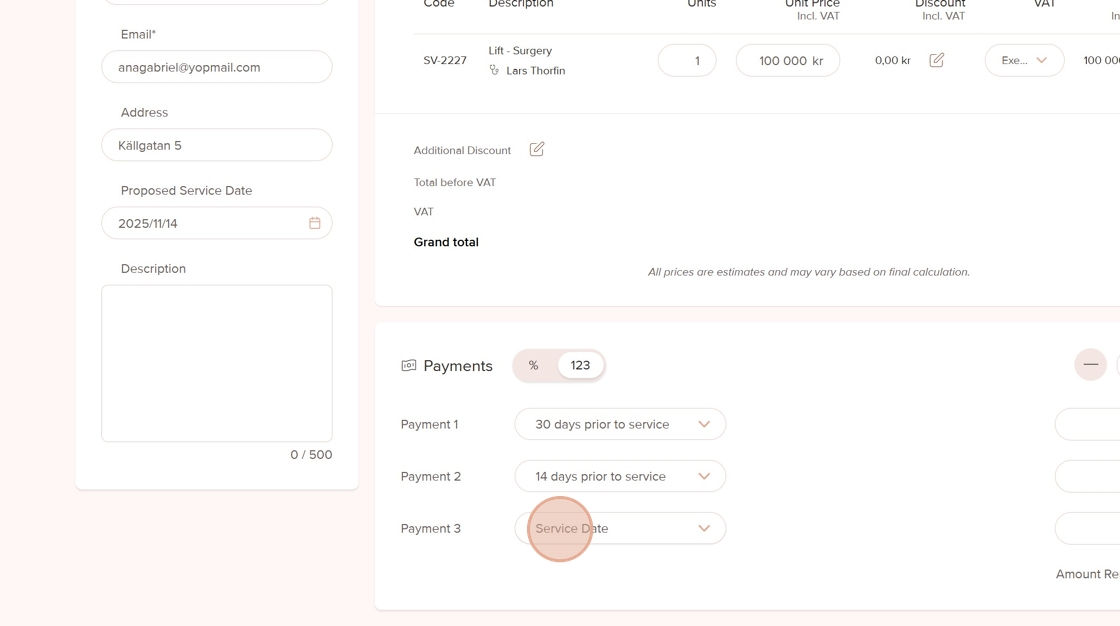
7. Click the + button to add a new instalment or the – button to remove one.

8. Edit the amount for each instalment as needed to match the correct payment breakdown.

9. Set or adjust the due date for each instalment to reflect the updated payment schedule.
10. When you’re done, click Save. Don’t forget to download the updated quote and send the new version to the patient.

Was this article helpful?
That’s Great!
Thank you for your feedback
Sorry! We couldn't be helpful
Thank you for your feedback
Feedback sent
We appreciate your effort and will try to fix the article